NAI SSK CMake Build Guide for Linux
Overview
This document describes how to use CMake to install, configure, and build the software libraries and sample applications of NAI’s Software Support Kit (SSK) 2.x.
Environment Setup
CMake (Linux)
CMake 3.22.1 or later must be installed to build the Linux SSK. Using any web browser, navigate to https://cmake.org/files/v3.22 and download the “cmake-3.22.1-linux-x86_64.tar.gz” package.
NAI Linux Drivers
Any Linux system using the SSK 2.x to talk to NAI hardware needs one or both of the following Linux kernel modules loaded. This covers two common scenarios: running directly on an NAI Intel SBC (e.g. 68INT6, 68INT6H), and running on a Linux host PC with an NAI PCIe board (e.g. 79G5, 79C3) installed in one of its slots.
naipci— PCIe communication between the host and any NAI PCIe / VPX backplane I/O card, plus XMC mezzanine cards. Required in all cases.naigspi— internal SPI communication between an NAI Intel SBC and its onboard peripherals (GPIO, watchdog, EEPROM and SATA write protect, backplane reset, etc.). Required only when running on an NAI Intel SBC. If you’re on a Linux host PC with an NAI PCIe card, skip thenaigspisteps below.
Source for both drivers ships in the package under linux_drivers/nai_pci_driver/ and linux_drivers/nai_gspi_driver/. Each has its own Makefile that builds against the running kernel’s headers (/lib/modules/$(uname -r)/build).
Build the drivers:
cd linux_drivers/nai_pci_driver
make clean
make all
cd ../nai_gspi_driver
make clean
make all
Note
On RedHat Enterprise Linux 9.3 or newer, replace
make allwithUSE_NEW_CLASS_CREATE=1 make all. RHEL 9.3 backports a kernel change toclass_create()that the driver source accommodates through this flag. Ubuntu, RHEL 10, and other distributions do not need it.
Install and load the drivers (recommended for production):
sudo make -C linux_drivers/nai_pci_driver install
sudo make -C linux_drivers/nai_gspi_driver install
sudo modprobe naipci
sudo modprobe naigspi
The install target places each .ko under /lib/modules/$(uname -r)/extra/ and runs depmod, so subsequent boots pick the drivers up automatically through the normal kernel module discovery path.
Or, to load the drivers temporarily for testing only:
sudo insmod linux_drivers/nai_pci_driver/naipci.ko
sudo insmod linux_drivers/nai_gspi_driver/naigspi.ko
Temporary insmod loads do not survive a reboot.
Verify the drivers loaded:
lsmod | grep naiYou should see naipci in the output, plus naigspi if you’re running on an NAI Intel SBC. If a driver you need is missing, the SSK will not be able to reach the hardware it normally accesses through that interface.
Note
To unload the drivers, use
sudo modprobe -r naipci(orsudo rmmod naipci) and the same fornaigspi.
Building and Running a Project
PACKAGE LAYOUT (Linux)
The NAI SSK contains NAI libraries and code to access all onboard and offboard modules. Inside, you’ll find a “base” folder, a “docs” folder, and the root CMakeLists.txt file that’s used as the entry point for CMake to configure a build folder.
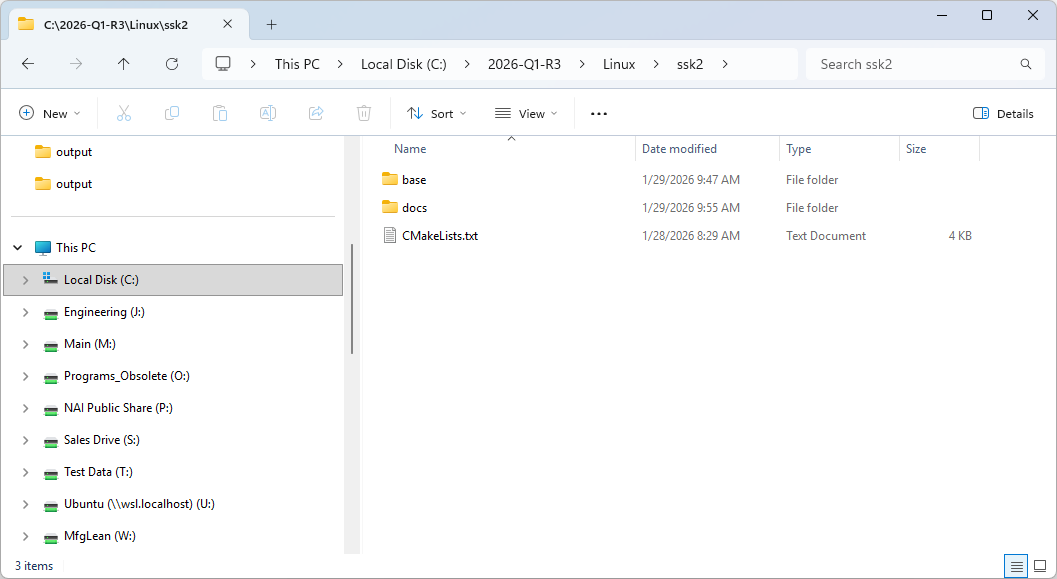
“base” Folder (Linux)
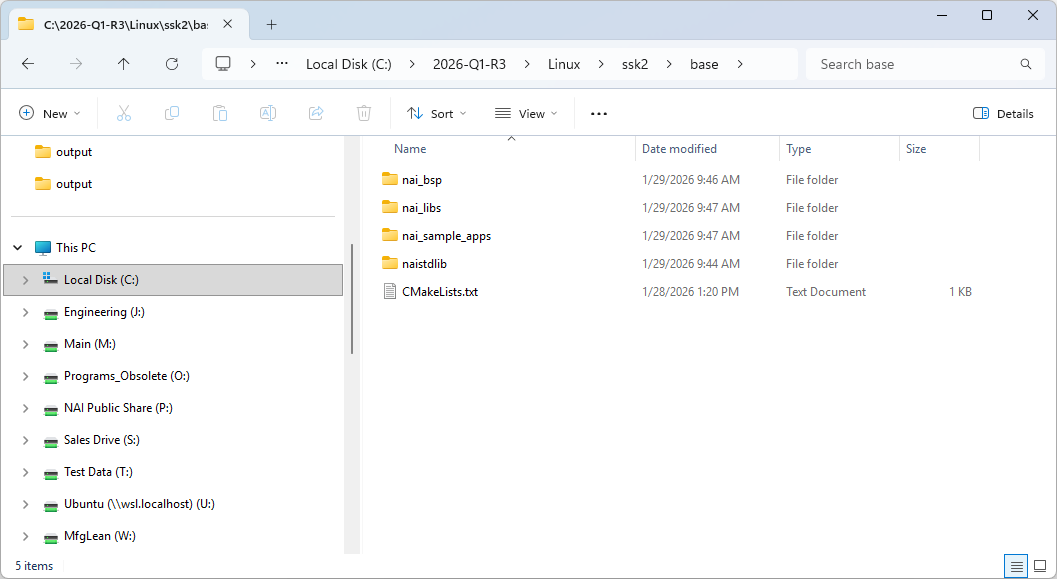
The base folder contains the all the “C” source code for the SSK.
| Project Name | Description (Listed in order of recommended build order) |
|---|---|
| nai_bsp | Handles OS and processor specific routines, implements interface driver code. |
| nai_libs | Library routines used by user applications. |
| nai_sample_apps | Sample applications to demonstrate module functionality. |
| naistdlib | Additional C libraries. |
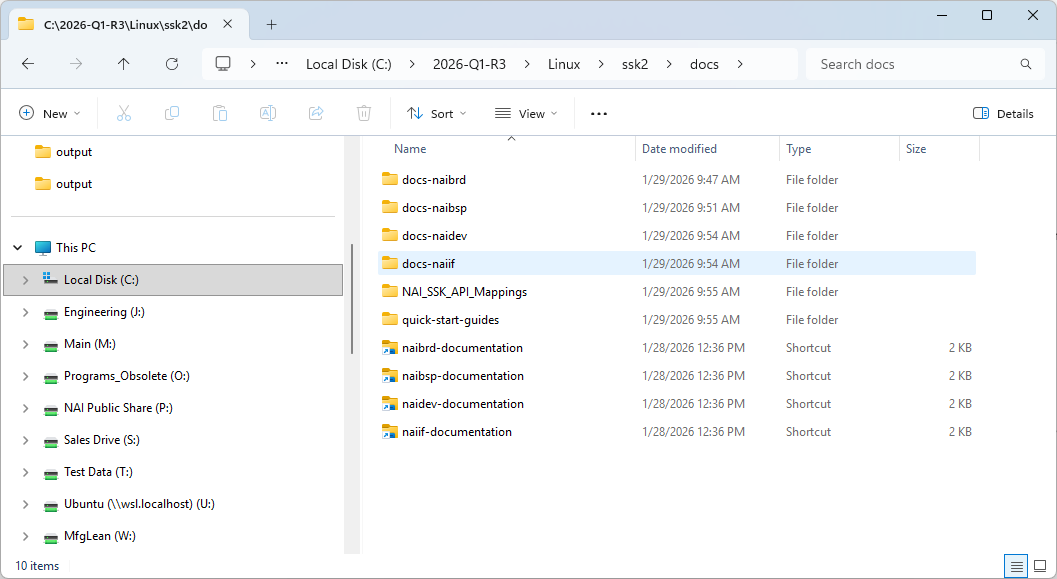
“docs” Folder (Linux)
The “docs” folder contains local copies of the SSK’s API documentation and quick-start guides that are available on the Docs website.
“cmake/configs” Folder (Linux)
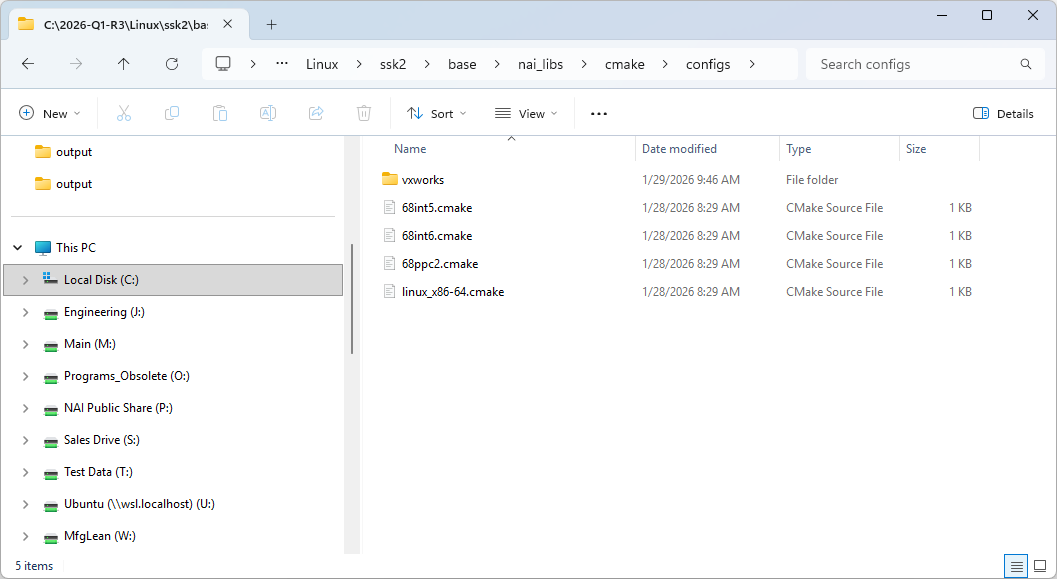
The “cmake/configs” folder exists in the “nai_libs” directory and contains the toolchain files for all supported configurations to be chosen from when generating the build folder with CMake. A generic native Linux host will use the linux_x86-64.cmake toolchain.
CONFIGURING AND BUILDING THE SSK (Linux)
Instructions (Linux)
- Open the root folder of the SSK in the terminal.
- Run the following command with the necessary flags to generate the build folder in the specified location:
cmake [flags] -B [build_folder] —toolchain ./cmake/configs/linux_x86-64.cmake
a. To generate a Release or Debug build, add the flag:
** -DCMAKE_BUILD_TYPE=[Release|Debug]**
b. To generate shared object (.so) or archive (.a) libraries, add the flag:
** -DBUILD_SHARED_LIBS=[ON|OFF]**
Note
To build for an NAI SBC, replace linux-x86_64.cmake with the toolchain for your board (e.g. 68int6.cmake).
- Run the following command to compile the build:
cmake —build [build_folder] -j - All compiled binaries and libraries will be found in [build_folder]/bin and [build_folder]/lib, respectively.
Note
In order to change any of the configured flags (switching between .so and .a or Release and Debug), you cannot reuse the same build folder. You must either delete the previously generated build folder or direct CMake to generate a new build folder in a different location. Only then should you rerun the CMake commands with the updated flags.
Example (Linux)
In this example, the SSK is extracted to “~/nai/ssk/” and the goal is to generate a static, debug build in the folder “build_debug_a”.
- Run cd ~/nai/ssk/ to navigate to the root folder of the SSK.
- To generate the build folder “build_debug_a” for a static, debug build, use the command:
cmake -DBUILD_SHARED_LIBS=OFF -DCMAKE_BUILD_TYPE=Debug -B build_debug_a —toolchain ./cmake/configs/linux-x86-64.cmake - To compile this configuration, run the command:
cmake —build build_debug_a -j - All compiled binaries and libraries will be found in build_debug_a/bin and build_debug_a/lib, respectively.
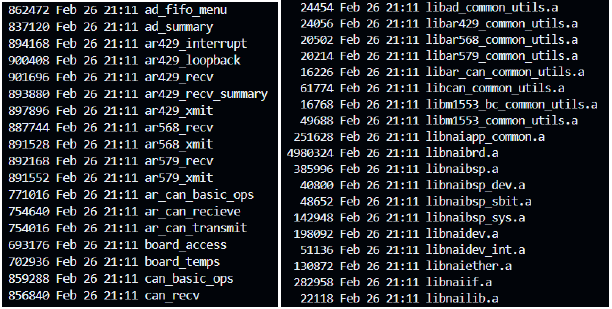
a. Truncated outputs of ls -l build_debug_a/bin and ls -l build_debug_a/lib